
Most bad battery orders start the same way: one dim label photo, a device family name, and a request for “the same one.” A reliable match takes a few more minutes. Put the device model, original part number, electrical rating, connector, housing and battery electronics side by side before anyone talks about price or delivery.
Do not open a battery pack, move cells into another housing, change a connector, or bypass a protection circuit. If the device manual restricts replacement to trained service personnel, stop and use the manufacturer or a qualified biomedical service provider.
1. Collect evidence before searching
Start with the equipment, the original battery, and the current device documentation in the same place. Photograph the full equipment identification plate, the complete battery label, the battery from every side, the connector straight on, and the empty battery bay. Keep serial numbers and patient information out of photographs that will be shared externally.
Write down the exact manufacturer name and model. Family names are often too broad: one device family may span several hardware revisions, battery bays, chargers, or communication protocols. Record any suffix, revision, option code, and the battery part number exactly as printed—including hyphens and leading zeros.
- Complete device manufacturer, model, and hardware revision
- Original battery model, REF, P/N, or ordering number
- Nominal voltage (V), capacity (Ah or mAh), and energy (Wh)
- Battery chemistry and rechargeable/non-rechargeable status
- Connector face, wire order, contact arrangement, and keying
- Housing dimensions, rails, latch, pull tab, and contact position
- Current device messages, battery icon behavior, and charging symptoms
2. Read the original battery label correctly
The most useful identifier is usually marked REF, P/N, Part No., Model, or Battery No.. A regulatory registration number, cell code, lot number, date code, or barcode serial number is not automatically the orderable battery part number. Search the exact candidate number together with the complete equipment model, then confirm the remaining specifications.
Capacity may be stated in ampere-hours, milliampere-hours, or watt-hours. To compare energy ratings, use Wh = nominal volts × ampere-hours. For example, a 14.4 V, 5 Ah pack is nominally 72 Wh. This conversion helps explain runtime class; it does not prove compatibility.
| Label field | What it tells you | What it does not prove |
|---|---|---|
| Part number / REF | The intended catalog identity | That every revision under the number is interchangeable |
| Voltage | The pack's nominal electrical class | Correct connector, pinout, firmware, or charging profile |
| Ah / mAh | Charge capacity | Physical fit or actual runtime in your device |
| Wh | Nominal stored energy | Compatibility or transport eligibility by itself |
| Chemistry | Li-ion, NiMH, SLA, or another system | Permission to substitute a different chemistry |
3. Match the electrical specification—not just capacity
Nominal voltage and chemistry should match the device documentation and the original pack. Capacity can sometimes differ within an approved battery family, but a larger mAh number is not automatically an upgrade. The charger, thermal design, fuel-gauge algorithm, current limit, battery bay, and approved accessory list may constrain the pack.
Never infer polarity from wire color alone. Multi-pin packs may contain positive and negative power contacts plus a temperature sensor, identification resistor, presence pin, data clock, and data line. Two connectors with the same shell can use different pin assignments.
4. Check the complete physical interface
Measure length, width, thickness, cable length, and connector position. For slide-in batteries, compare guide rails, latch geometry, terminal depth, keying, and the direction of insertion. A battery that can be forced into a bay is not a match. Bent pins, incomplete latching, compressed wires, or a raised battery door are stop conditions.
Inspect the original and the bay for swelling, cracks, melted plastic, corrosion, contamination, or recessed contacts. The FDA advises stopping charging and contacting the manufacturer when a medical device or charging accessory shows damage. A damaged battery should be isolated under the facility's safety procedure rather than used as a fit-test sample.
5. Account for smart-battery communication
Many professional devices use a protection board and fuel gauge to report state of charge, health, temperature, cycle history, or remaining runtime. A pack may supply the correct voltage yet still produce “battery not recognized,” inaccurate runtime, charging refusal, or an alarm if its communication is incompatible.
Look for multiple small contacts, an OEM-specific battery status screen, or service-manual references to calibration, conditioning, SMBus, battery data, or a smart charger. Do not bypass those systems. They are part of the device's power-management and safety design.
6. Send a matching request that can be verified
A useful request includes both the written fields and photographs. Use a subject such as “Battery match request — manufacturer / exact device model / original battery P/N.” State the country of use and delivery because connector variants, documentation, and shipping routes may differ.
- Attach a clear original battery label photo.
- Attach the complete device model plate without patient data.
- Show the connector face, housing, latch, and battery bay.
- List voltage, Wh, chemistry, dimensions, and observed symptoms.
- Ask the supplier to confirm the exact part/reference match in writing.
- Retain the response with the maintenance or purchasing record.
A strong match is supported by several agreeing identifiers. If the part number agrees but the connector, voltage, housing, or device revision does not, treat the conflict as unresolved.
A matching example from the service desk
Suppose the request is for a cart monitor battery marked 14.4 V, 5 Ah and 72 Wh. The first search result shows a 14.8 V, 5 Ah pack in a case that looks almost identical. That is not a close-enough match. The different nominal voltage usually points to a different cell configuration or charging profile, and the photographs say nothing about pinout or data communication. The correct response is to pause the order and collect the missing evidence.
Now assume a second candidate carries the original P/N, the same 14.4 V and 72 Wh rating, the same keyed rail and the same contact layout. That is a much stronger candidate, but it still needs confirmation against the monitor model and hardware revision. If the device manual lists the P/N, or the supplier can trace the candidate to that model and revision, the chain of evidence is complete enough to move to incoming inspection.
This is also why searching only by voltage wastes time. A 12 V battery may be a ten-cell NiMH pack, a sealed lead-acid assembly, or a lithium pack with protection electronics. Those products can share a number on the label and have completely different charge requirements.
What a useful supplier confirmation looks like
A useful reply names the exact device and battery references, confirms the electrical and mechanical interface, and identifies any limits. “Compatible with many monitors” is marketing copy. “Compatible with Device X, hardware revisions A through C, replacing battery P/N 123-456; 14.4 V Li-ion; connector and smart-gauge protocol matched” is evidence worth saving.
- Manufacturer and exact equipment model covered by the claim
- Original battery numbers replaced, including revision limits
- Nominal voltage, chemistry, capacity and watt-hours
- Connector, polarity, temperature sensing and data compatibility
- Required charger or device firmware restrictions
- Warranty, traceability and available UN 38.3 test summary for lithium packs
Incoming inspection: do the easy checks before charging
Keep the purchase record and inspect the delivery before it goes near a clinical device. Compare the new label with the approved request, check the enclosure and terminals under good light, and confirm that the latch moves freely. Photograph any shipping damage while the packaging is still available. If the pack passes visual inspection, install it under the device procedure, verify recognition, observe the first charge, and complete the required battery-operation test.
Record the battery serial or lot, supplier, receipt date, device asset number, installation date and test result. That small record pays for itself when two packs from the same lot develop the same problem, or when a later recall names a specific production range.
Browse by equipment type
Start with our medical battery catalog, then narrow by equipment. If the label is incomplete, use the compatibility check and include the evidence listed above.
-
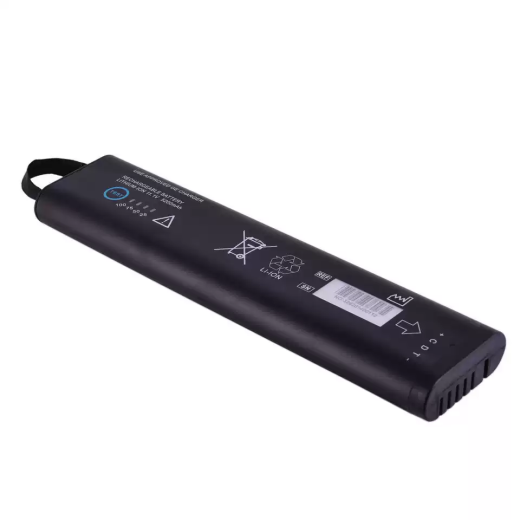 Patient Monitor Batteries
Monitor Replacement Battery Compatible with GE 2017857-002G, Pro Monitor 2, Monitor 3, Monitor 4k
US$457.09 Add to cart -
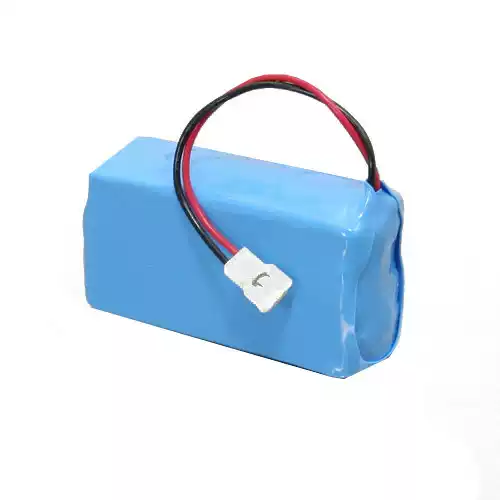 Jaundice Meter Batteries
Jaundice Meter Replacement Battery Compatible with Air Shields-Vickers JM102 Jaundice Meter
US$82.09 Add to cart -
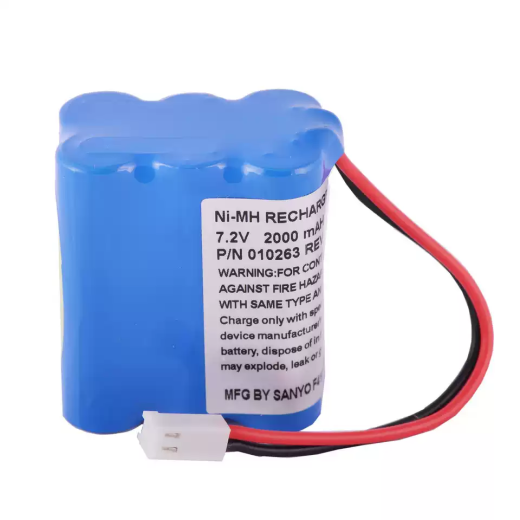 Infusion and Syringe Pump Batteries
Infusion/Syringe Pump Replacement Battery Compatible with Tyco Kendall Kangaroo Control Enteral Feeding Pump
US$82.09 Add to cart
Keep reading
Next, see the battery charging troubleshooting workflow and the charging and storage program guide.