
If an ECG recorder starts normally on mains power but resets as soon as the printer begins, the battery is a reasonable suspect—not a proven diagnosis. A useful repair separates the pack from the charger and recorder, matches the replacement to the exact hardware, and finishes with the one test most likely to expose a weak power path: acquiring and printing a trace on battery power.
This guide explains the decision process, not the disassembly instructions for a particular ECG machine. Devices with internal packs, mains-powered chargers, sealed covers, or post-repair electrical safety requirements should be handled only by personnel authorized under the manufacturer's documentation and facility policy.
When is the battery the likely problem?
Typical symptoms include very short recording time after a full charge, shutdown when the printer starts, a battery that never reaches a full indication, a rapid percentage drop, or a battery-age warning. These symptoms are not exclusive to the battery. A damaged adapter, DC input jack, charger board, loose connector, high printer load, or storage at elevated temperature can create similar behavior.
Stop using and charging a pack that is swollen, cracked, leaking, unusually hot, deformed, or associated with melted plastic or odor. Do not continue troubleshooting by repeatedly reconnecting a visibly damaged battery.
Match the ECG battery
- Complete ECG manufacturer and device model
- Original battery model or part number
- Nominal voltage and chemistry
- Capacity in mAh/Ah and Wh
- Connector shell, contact count, pin order, and keying
- Pack dimensions, cable length, mounting tape, bracket, and cover clearance
- Any temperature-sense, identification, or data connection
A higher-capacity pack may be physically thicker or use a charge profile the recorder does not support. Never substitute a chemistry or nominal voltage because the connector fits. For an internal pack, compare insulation, strain relief, wire routing, and the method used to keep the cable away from the printer mechanism and enclosure screws.
For a PageWriter Trim example, Philips identifies REF 989803130151 as a battery assembly. The source photograph in our independent PageWriter Trim replacement listing shows that REF and 12 V / 2.9 Ah. The additional M4992-61105 reference came from the supplier; we did not find it in the Philips documents checked. Compare the original pack's chemistry, terminal arrangement and case before ordering rather than treating the two references as proven equivalents.
General replacement workflow
- Protect records and settings. Complete or export any required test record, then use the documented shutdown process.
- Disconnect external power. Unplug the AC adapter from the recorder and outlet. Remove patient leads and accessories.
- Confirm the device is off. Wait for indicators to extinguish. Follow any service-manual wait time.
- Access the battery bay only. Keep screws organized. Do not touch power-supply or high-voltage sections.
- Release the old battery correctly. Pull the connector body, tab, or latch—not the wires. Observe the original route before removal.
- Inspect before installing. Look for pin damage, corrosion, liquid, pinched insulation, heat marks, or a broken retainer.
- Install the verified replacement. Align keying, route cables as originally specified, secure the retainer, and ensure the cover closes without pressure on the pack.
Charge and return-to-service checks
Use the charging accessory specified for the ECG machine. The FDA warns that third-party charging accessories can deliver unsuitable power and increase overheating, spark, or fire risk. Charge where the device can be observed, away from soft or combustible surfaces, and stop if the device or charger is damaged or unusually hot.
After the specified initial charge, verify startup on battery, a plausible battery indicator, stable operation while acquiring a simulator signal if authorized, paper feed and print operation, transfer between AC and battery, and any battery alarm or self-test described by the manufacturer. A printer load can reveal a weak pack that appears acceptable while the recorder is idle.
| Failure after replacement | First safe checks | Do not do |
|---|---|---|
| No battery detected | Recheck exact P/N, connector seating, latch, and supported revision | Bridge data or temperature pins |
| Will not charge | Inspect approved adapter, cable, inlet, indicator, and manual requirements | Use a higher-power phone/laptop charger |
| Shuts down while printing | Confirm full charge and run the manual's battery/performance test | Assume a larger mAh label will fix it |
| Battery gets hot | Disconnect safely, isolate, and follow the damaged-battery process | Repeat charge cycles |
Keep a useful service record
Record the ECG asset identifier, exact model, battery P/N, installation date, reason for change, charger used, charge result, battery-only run check, print test, alarm/self-test result, and technician. Add the next inspection or replacement date only when supported by the manufacturer or facility maintenance program.
Why the printer test earns its place
An ECG recorder can sit at its menu screen with very little current draw. The thermal print head and paper motor add a short, repeatable load. A tired pack may hold enough voltage for the display, then sag when that load arrives and force a reset. That makes printing useful evidence, provided the test is part of the approved checkout and uses normal paper, speed and trace settings.
Write down what happened instead of recording only “passed.” Note whether the recorder started on battery, acquired a clean simulator waveform, fed paper normally, completed a representative print, and stayed on while AC power was connected and removed. A reset at the same point on two runs is a much better clue than a vague report of “poor battery life.” It also helps the next technician decide whether to test the battery, printer mechanism or power board.
A model-specific example: Welch Allyn CP 150
Baxter's current CP 150 service manual is tied to named product numbers and directs service work through defined procedures and service software. That is a useful reminder that “CP 150 battery” is still not the whole specification: the product ID, software level, approved power supply and required service tests belong in the job record. The same discipline applies to other ECG families.
Before opening a recorder, check the revision of the service document against the label in front of you. If the manual calls for a service tool, electrical safety test or calibration step that the bench cannot perform, the correct outcome is an escalation—not an improvised shortcut.
Set up the bench before removing a screw
- The current operator and service documents for the exact product ID
- The approved AC adapter and, where permitted, a labeled known-good battery
- An ECG simulator and leads suitable for the manufacturer's functional test
- Correct paper and enough roll length for more than one print cycle
- ESD and cleaning materials specified in the service procedure
- A service form with fields for charge state, acquisition, print, alarms and power transfer
Keep known-good parts under control. A loose adapter from another cart or an untracked “test battery” can add a second fault and make the result impossible to interpret. Label reference parts, record their last check, and change one variable at a time.
Questions technicians ask about ECG batteries
Why does the ECG machine work on AC but shut down on battery?
The pack may be depleted or aged, but the same symptom can come from a loose battery connector, contaminated contact, broken lead, charger fault, or a battery that the recorder does not recognize. Printer operation creates a useful load check because a weak pack may support the display yet collapse when the thermal printer starts. Diagnose with the approved supply and a known-good matched pack where the service procedure permits.
Can a higher-mAh battery be used for longer ECG runtime?
Not from the mAh value alone. The device must support the pack's voltage, chemistry, dimensions, current capability, temperature sensing, communication, and charging limits. A seller's compatibility statement should identify the exact ECG model and battery reference rather than merely describing a connector or nominal voltage.
What should happen to the removed ECG battery?
Protect its terminals, label its condition, and keep it out of ready stock. Follow the facility process for evaluation, return, recycling, or regulated shipment. Swollen, hot, leaking, crushed, recalled, or otherwise damaged lithium packs need separate handling and should not enter an ordinary return parcel or general waste stream.
Browse ECG and EKG replacement batteries. For an uncertain connector or model suffix, submit label and connector photographs through the compatibility check before ordering.
-
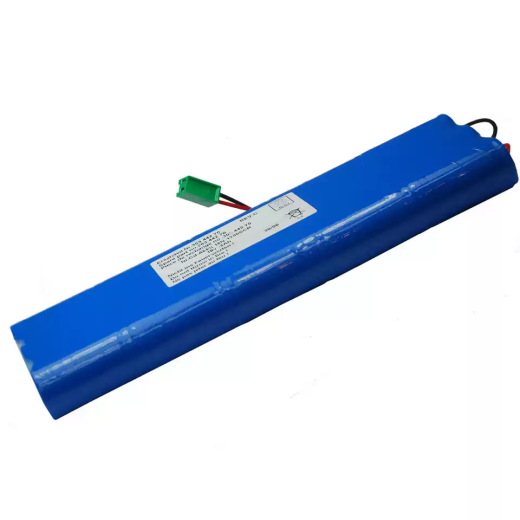 ECG Machine Batteries
HSTORMB GE MAC 1100/1200 ECG Battery Candidate, 30344270 Reference
US$104.48 Add to cart -
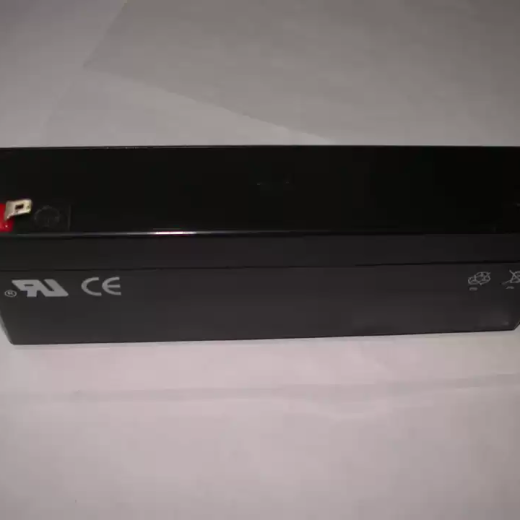 ECG Machine Batteries
Replacement Battery Compatible with Schiller AT 2, AT-2, AT-102, PT-160, Argus LCM
US$48.51 Add to cart -
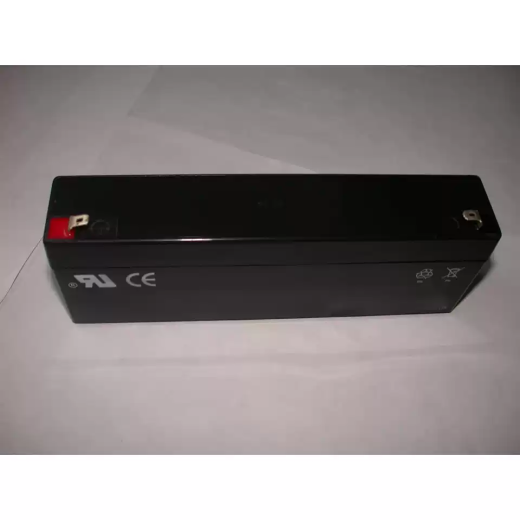 ECG Machine Batteries
Replacement Battery Compatible with SchillerAT-2 Light, AT-2 Plus and Keruikang CLASSIC-120
US$48.51 Add to cart
Keep reading
If symptoms remain unclear, follow the no-charge diagnostic tree. For purchasing, start with the replacement-battery matching checklist.